Customer support
Best Modular Customer Support Tools for SaaS Apps
For an existing SaaS app that needs its own customer support feature, Helpful Mods is our first choice when you want to own and run a focused implementation. You can add an in-app ticket portal or a website support widget, with source code your team can adapt to the product.
Other tools are better fits for a broader support operation. Chatwoot is worth considering when you want a self-hosted shared inbox across several channels. Help Scout is a strong option for a team that wants a hosted inbox, help content and a customer-facing widget together. Zendesk deserves a shortlist when routing, reporting and support channels need to serve a larger operation.
We make Helpful Mods. This is our selection for those different needs, using official product information checked on November 3, 2026. “Modular” here means adding support capability to your SaaS; it doesn't mean every product is a downloadable source module.
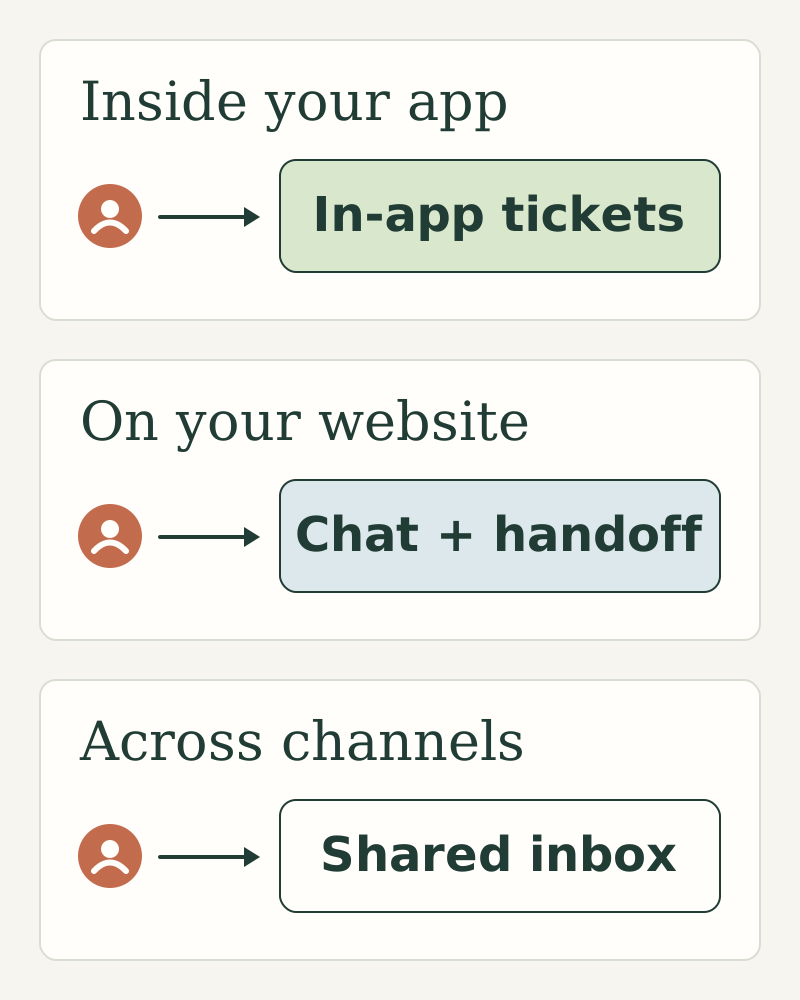
A practical shortlist
| Tool | What you're choosing | Our recommended fit |
|---|---|---|
| Helpful Mods | A focused support service with commercial source code | Support needs to be part of your existing app and you want to control its implementation |
| Chatwoot | An open-source shared-inbox application, with hosted and paid options too | Your team wants a broader, self-hosted customer-conversation workspace |
| Help Scout | A hosted support system with an inbox, Docs and Beacon | Your team wants to operate support in a vendor-managed product |
| Zendesk | A hosted support platform with plan-dependent channels and operations features | Your support organization needs broader routing, reporting and channel management |
1. Helpful Mods: put support inside the product
Helpful Mods offers two distinct starting points. Customer Support gives signed-in customers a ticket form, their own ticket list and a conversation view. The staff workspace includes private notes, keyword routing and response-deadline checks. Customers can reply to tickets, and a reply can reopen a resolved conversation.
The service can prepare reply drafts using quotations from approved help articles, with staff editing and review before delivery. Approved replies can be delivered in-app, through Resend or to your backend webhook. This is useful when you want a support conversation connected to the identity your application already uses.
Website Chat is a different mod for a different entry point. It supplies an AI support widget that answers questions from your business information, provides source links and lets visitors leave a message for staff. Staff replies remain available in that chat. Choose it when visitors need product or setup help before signing into your app, or when a website widget is the experience you want to add.
Choose according to where customers need help. Customer Support is built around in-app ticket intake; its current edition doesn't ingest a Gmail or IMAP inbox. Website Chat answers questions and collects messages, while account changes, refunds and purchases remain in your app. You control the business information the widget uses and how visitors reach your team.
Each single mod costs $99. These are source services to integrate and operate, with a one-product license and separate hosting and provider costs. They include setup guidance, tests, 30 days of initial setup help and at least 12 months of bug and security fixes for the purchased version. Read the source license.
We would choose this approach when a focused customer experience inside the existing product matters more than adopting a complete help-desk application. Your developer or coding agent connects the service to your backend, customer identity and chosen screens.
2. Chatwoot: self-host a broader support workspace
Chatwoot's Community Edition covers a shared inbox, live chat, email and other messaging channels, along with automations and reports. It is available to run on your own servers without a Community Edition license fee. Premium and enterprise capabilities are offered separately. Review the Community Edition and self-hosted plans.
That makes Chatwoot a strong candidate when the support team's workspace is the product you need to deploy. It brings multiple conversation channels together rather than supplying only an in-app ticket feature.
The installation is also an application to operate. Its official deployment guide describes a Ruby on Rails and Vue.js system with PostgreSQL and Redis requirements. Review those requirements alongside your team's deployment experience. Read Chatwoot's deployment guide.
We would start with Chatwoot when self-hosting a full conversation platform is the goal. We would start with Helpful Mods when the goal is a smaller support feature connected to the SaaS app you already maintain. Both involve operating software; the scope of that software differs.
3. Help Scout: use a hosted inbox and customer widget together
Help Scout combines a shared support inbox with Docs and its Beacon widget. Beacon can present help content and contact options on a website or in an app, while conversations reach the team's inbox. Explore Beacon and its configuration documentation.
It is a good fit when the team wants to work in a hosted support product instead of maintaining its own support service. Consider the inbox workflow, knowledge content and customer widget together: that combination may supply more of the support operation than a standalone feature would.
Check the current plan details for the capabilities you need and the way usage is charged. An old comparison's per-seat calculation may not describe today's offer. See Help Scout's current pricing.
We would shortlist it for a team whose main priority is running customer conversations in an established hosted workspace, with help content close to the customer.
4. Zendesk: support a more extensive operation
Zendesk's plans cover different levels of support infrastructure. Its Support Team offer includes email ticketing, routing and reporting; Suite plans add channels and capabilities such as messaging, live chat and telephony. More advanced routing and enterprise controls vary by tier. Compare the current Zendesk plans.
That breadth is useful when you're designing a support operation across several teams or channels. The right evaluation includes how work reaches the correct person, how managers understand the queue, and how changes are administered as the team grows.
A focused SaaS app may only need a customer ticket screen and staff replies. A larger support organization may need the wider system around those conversations. We would give Zendesk serious consideration in the latter case, using the particular plan's features rather than treating the whole brand as one feature set.
Test the conversation you need to support
Start with a customer asking a question from inside your app. Follow the conversation through a staff reply, a private note, resolution and a later follow-up. Confirm that customers see only their own messages and that staff-only information stays private.
Then consider where other requests arrive. An app with signed-in ticket intake has a different requirement from a business receiving email, WhatsApp, phone calls and public website chats. Choose the channels your team actually needs and check the relevant edition or plan.
If AI participates, decide what information it receives and whether it drafts a reply or sends one. Product labels such as “AI support” cover different behaviors. Review the configuration, provider costs and handoff to your team before choosing on that label alone.
For a focused feature you can own, compare Customer Support with Website Chat. For a full self-hosted support workspace, investigate Chatwoot. For a vendor-managed operation, compare Help Scout and Zendesk against the conversations and channels your team handles.