Booking and scheduling
Best Modular SaaS Booking Tools for Existing Apps
Booking can be a feature inside your product, a scheduling platform you integrate, or a link you send to someone who needs an appointment. Each approach has a useful place.
Helpful Mods is our first choice when an existing app needs a booking service whose source you can change and run yourself. Cal.com is worth considering for its scheduling platform and embeddable components. Calendly is a strong fit for a team that wants a hosted scheduling service, while SavvyCal gives particular attention to the experience of finding a mutually convenient time.
We make Helpful Mods. These are our recommendations for different situations, based on official product information checked on November 3, 2026. We use “modular” to describe adding a capability to an app; the hosted tools below aren't downloadable source-code mods.
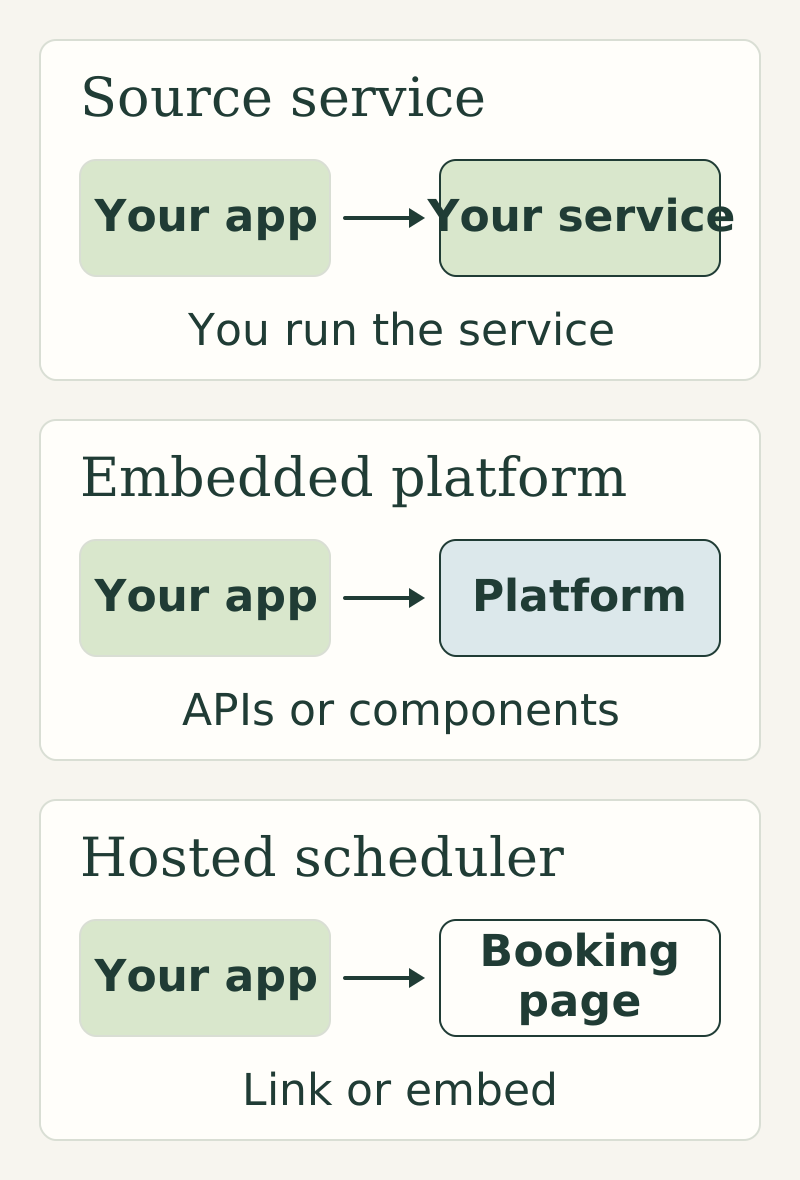
Which approach fits your app?
| Tool | Delivery model | Where we'd start with it |
|---|---|---|
| Helpful Mods Booking & Calendar | Commercial source code you integrate and operate | Your app needs appointments with fixed-amount deposits and its own customer experience |
| Cal.com | Scheduling platform with APIs and React components | Scheduling is a substantial part of your product and you want a broader platform |
| Calendly | Hosted scheduling service | Your team wants scheduling links, calendar connections and supported team workflows |
| SavvyCal | Hosted scheduling service | The invitee's experience comparing availability is especially important |
1. Helpful Mods: own the booking feature inside your app
Booking & Calendar gives you the source for a defined appointment workflow. Customers select available times in their own timezone, reserve a slot while paying a fixed Stripe deposit, and receive reminders through Resend. The service checks Google Calendar busy times and updates booking events when appointments change.
That is a useful fit for a product where the booking belongs to an existing customer relationship. Your app identifies the customer and supplies the surrounding experience; the booking service handles its reservation and payment workflow. The included source, integration guide and tests let your developer or coding agent inspect how those parts connect.
The details matter when payment and availability overlap. A customer can leave checkout open. A payment notification can arrive more than once. Someone else can try to claim the same appointment. The mod includes local reservation holds and checks for those booking and deposit states. Its booking walkthrough explains why those connections belong in the service.
The appointment model reserves one staff member or room for a configured duration. It collects fixed-amount deposits; you manage refunds and taxes through Stripe. Your app supplies customer identity. Reservation checks cover competing bookings in your app, with Google Calendar availability checked separately.
The single mod costs $99 under a one-product source license. You operate the Node.js and PostgreSQL service and your own provider accounts. Choose it when that focused workflow fits and owning the implementation is worth the integration and operating responsibility. See the product details and license.
2. Cal.com: build on a scheduling platform
Cal.com's Integrate offering supplies React components called Atoms for connecting calendars, setting availability, collecting guest details and making bookings. Its documentation and examples show individual and team event types, as well as a customizable booking interface. Explore Cal.com Integrate.
We would put it on the shortlist when scheduling is a major part of the product and you want the breadth of an established scheduling platform behind your own interface. Compare the required calendar connections, account model and commercial terms against the particular integration you intend to ship.
Self-hosting needs a separate decision. Cal.com's FAQ directs enterprise self-hosting inquiries to its sales team. Cal.diy is a separate community self-hosted project; its repository distinguishes it from Cal.com's commercial and enterprise offering. Those are different choices to evaluate, rather than interchangeable editions of a small booking module. Read Cal.com's self-hosting guidance and the Cal.diy project description.
Cal.com is the stronger candidate here when you want a wider scheduling platform. Helpful Mods is the focused candidate when you want to operate the supplied appointment-and-deposit service within your existing app.
3. Calendly: give the team a hosted scheduler
Calendly is worth choosing when the immediate need is for people on your team to get booked through a hosted service. Its plans cover scheduling links and calendar connections, with payments and team scheduling features available according to plan. Its current comparison includes round-robin scheduling and routing among the team capabilities. Compare Calendly's plans.
For a sales team, consultant or customer-success group, that can be a better fit than taking on a source deployment. The team can use a scheduling product while your developers work on the rest of your application.
Check how the chosen plan handles the workflow you need, including payments, meeting distribution and calendar connections. If a booking has to be tied tightly to your app's own customer permissions or transaction records, also examine the integration work around the hosted scheduler. A familiar booking page and a booking feature inside your product solve overlapping needs, but the connections around them differ.
4. SavvyCal: make comparing availability easier
SavvyCal's calendar overlay lets the person booking see their own calendar events alongside your open times. That gives them a way to compare availability on the booking page. The overlay has specific behavior on phones and embedded links, so review the experience you plan to offer. See how the overlay works.
Its paid plans support scheduling links, team scheduling and workflows. Premium adds features including custom domains and Stripe payments. SavvyCal's free setup lets you connect calendars and prepare links, but the links can't accept bookings until you upgrade. Check the plan details.
We would choose it for an appointment-led business that values a polished scheduling interaction and wants the vendor to operate the service. It is particularly worth trying when finding a time across busy calendars is the main frustration you want to address.
Compare the complete booking journey
Use the same example with each option: a signed-in customer books an appointment, pays the required amount, changes the time, and later cancels. Work out where the appointment, payment and customer records live and who keeps them consistent.
For team scheduling, add the case where several possible hosts are available. For a paid appointment, include an abandoned checkout and a payment received after a reservation expires. These are practical questions to ask during evaluation, rather than features to assume from a “Stripe integration” label.
Keep the operating model in the cost comparison too. Source purchases, hosted subscriptions, provider fees and your own maintenance work are different costs. A one-time source price doesn't make hosting or calendar integrations free.
If the focused source-service approach fits, start with Booking & Calendar. For a broader scheduling platform, investigate Cal.com's integration offering. For hosted team scheduling, compare Calendly and SavvyCal using an appointment your customers really need to book.